What is My LinkedIn Intelligence?
My LinkedIn Intelligence is Reachvo's organic personal branding and creator analytics suite. It bridges outbound prospecting with inbound authority building by giving founders, sales leaders, and content creators deep visibility into their LinkedIn profile performance.
By continuously analyzing follower velocity, post impressions, engagement rates, audience demographic composition, and network trends, Reachvo helps you position your personal profile to maximize organic reach and outbound conversion rates.
1. Top Performance Metrics & Health Cards
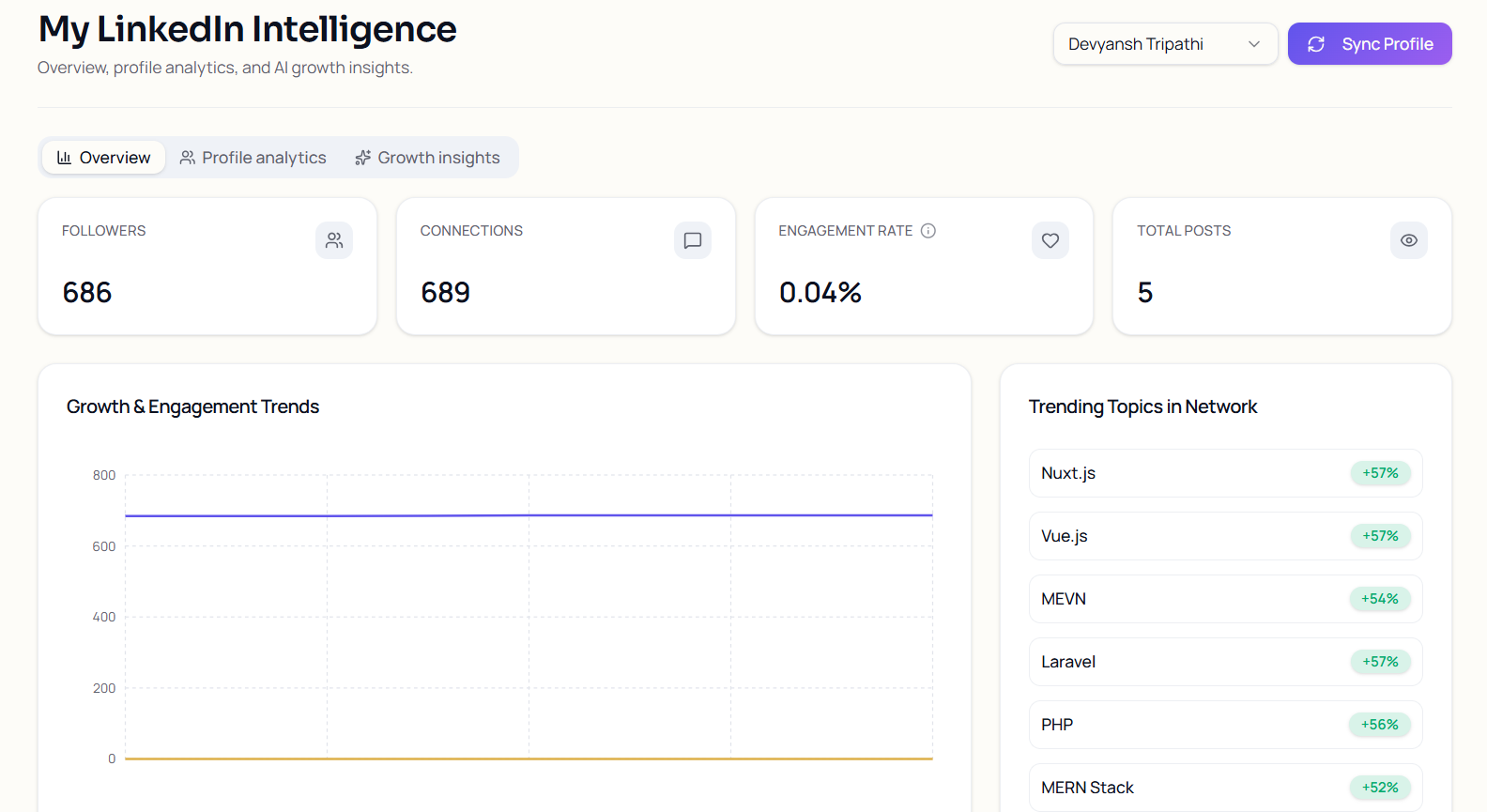
The top dashboard displays four core performance indicators synchronized directly with your connected LinkedIn profile:
| Metric Card | Description | Creator & Sales Benchmark |
|---|---|---|
| FOLLOWERS | Total number of LinkedIn members following your public updates and articles. | Reflects total content reach potential beyond 1st-degree connections. |
| CONNECTIONS | Total count of confirmed 1st-degree professional connections in your network. | Represents direct messaging reach and immediate addressable network. |
| ENGAGEMENT RATE | Percentage ratio calculated as (Likes + Comments + Reposts) / Total Impressions. |
Healthy B2B benchmarks range between 1.5% and 4.0%. High engagement signals strong content relevance. |
| TOTAL POSTS | Cumulative count of posts, carousels, and articles analyzed by Reachvo. | Measures posting consistency and content publishing volume. |
2. Overview Tab: Trends & Network Signals
The Overview tab provides an immediate snapshot of your personal brand velocity:
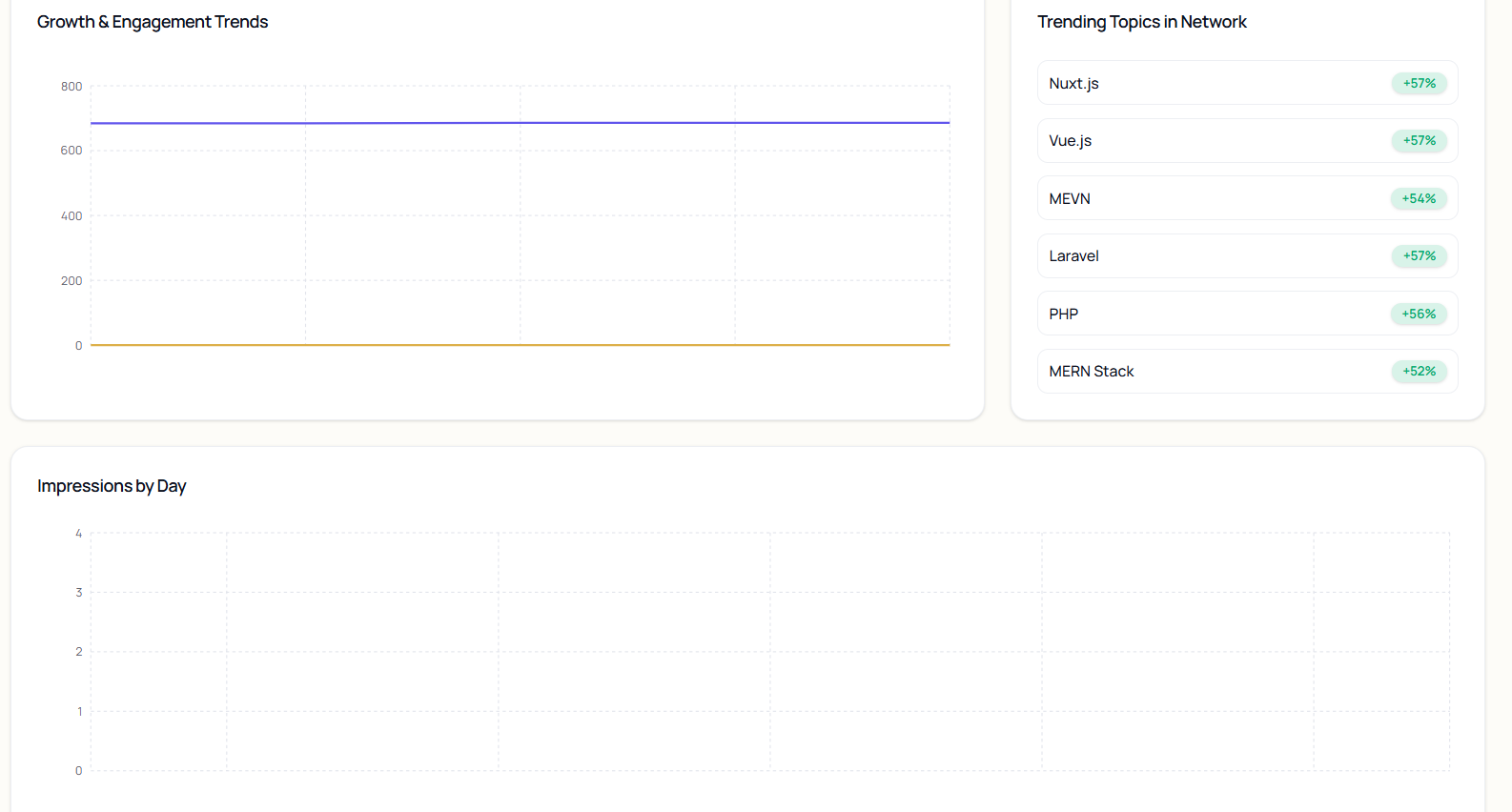
Growth & Engagement Trends Chart
- Follower Curve (Blue Line): Tracks historical follower accumulation over time to identify acceleration spikes linked to specific viral posts.
- Engagement Curve (Orange Line): Visualizes fluctuations in audience interaction rates, helping you spot seasonal dips or high-performing content themes.
Trending Topics in Network
- Analyzes recent posts, comments, and discussions across your 1st- and 2nd-degree network.
- Displays topic pills with percentage growth rates (e.g.
Nuxt.js +56%,Vue.js +57%,Laravel +54%). - Strategic Use: Use these trending topics in Content → Studio to draft timely, high-relevance posts that algorithmically resonate with your active network.
Impressions by Day
- Displays a bar chart tracking daily post views and impression spikes across your network.
- Helps identify optimal publishing days (e.g. Tuesday vs. Thursday) for your specific audience.
3. Profile Analytics Tab: Audience & Demographics
The Profile analytics tab provides an in-depth demographic breakdown of who interacts with your profile and content:
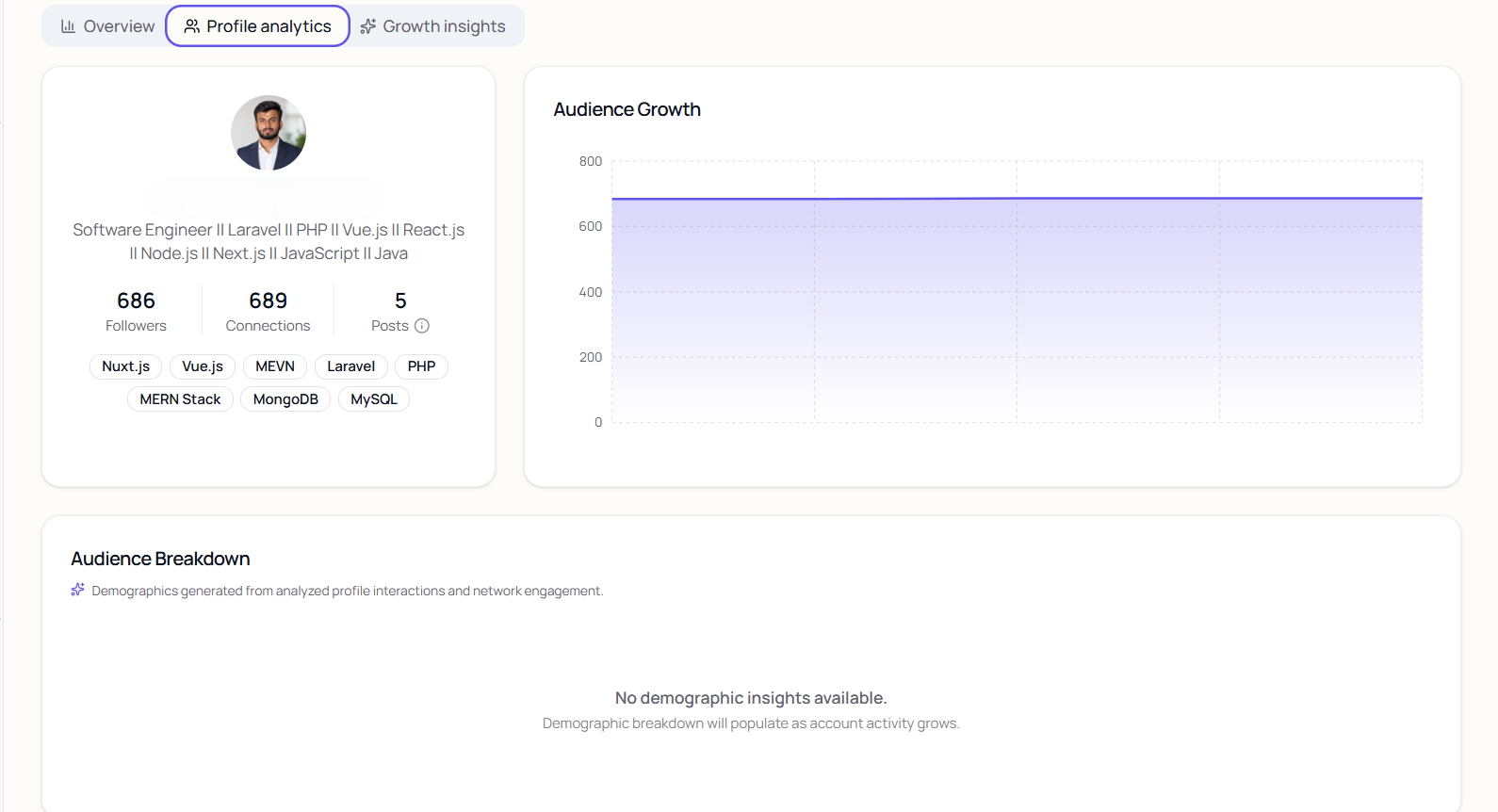
Profile Summary & Endorsed Skills
- Headline & Bio Overview: Displays your current LinkedIn headline, avatar, follower count, connection count, and total post volume.
- Skill Badges: Aggregates highlighted competencies and endorsed skills (e.g.
Nuxt.js,Vue.js,Laravel,MERN Stack) that LinkedIn's search algorithm indexes for profile discovery.
Audience Demographic Breakdown
Reachvo analyzes interactions to group your audience into three key dimensions:
- Top Industries: Visual progress bars showing industry concentration (e.g. Software Development 35%, Information Technology 25%, Artificial Intelligence 10%).
- Top Roles: Job titles and seniority levels engaging with your profile (e.g. Software Engineer 30%, Full-Stack Developer 25%, CTO / Founder 10%).
- Top Countries: Geographic distribution of your viewers and connections (e.g. United States 35%, India 30%, United Kingdom 15%).
TIP
Ideal Customer Profile (ICP) Alignment: Compare your Top Roles and Top Industries breakdown with your target CRM prospect segments. If your goal is selling to CTOs but your top audience role is Junior Developers, adjust your content strategy in Reachvo Studio to address executive-level business problems.
- Displays verified employment history and current organizational roles imported directly from LinkedIn.
4. Growth Insights Tab: AI Optimization Recommendations
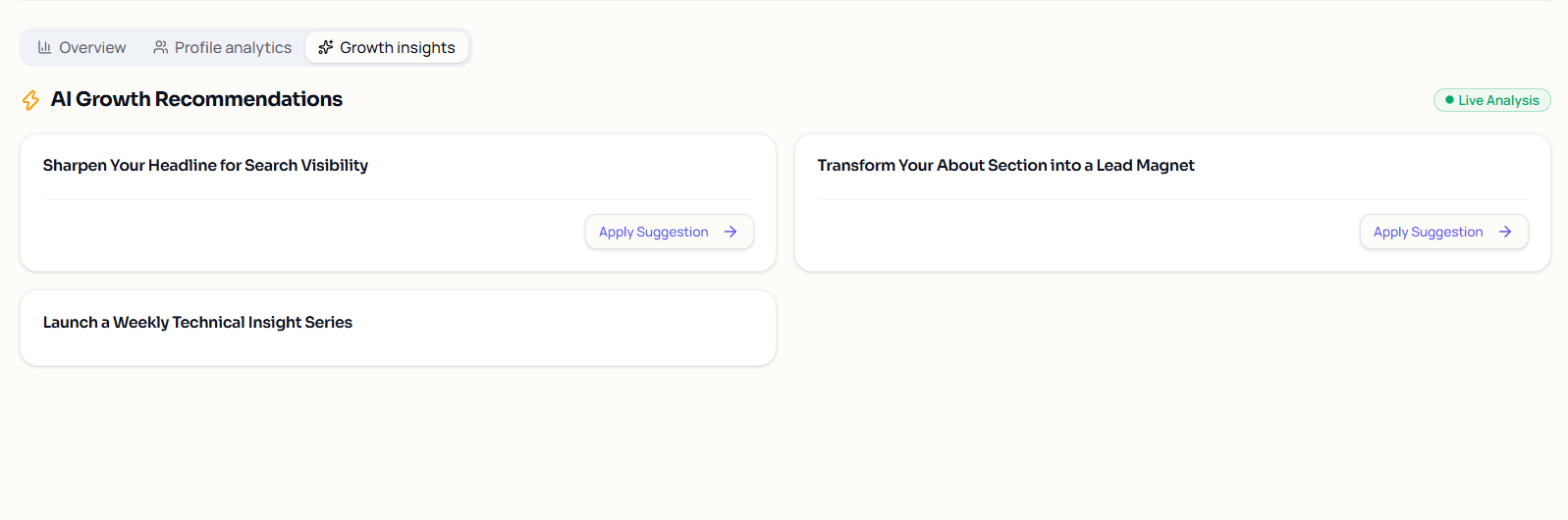
The Growth insights tab uses Reachvo's intelligence engine to audit your LinkedIn profile and generate actionable recommendations for increasing profile conversion and organic discoverability:
How to Apply AI Recommendations (Step-by-Step)

- Navigate to Growth Insights: Click the Growth insights tab in My LinkedIn Intelligence.
- Review Recommendation Cards: Evaluate suggestions ranked by impact level (High Impact, Medium Impact).
- Click Apply Suggestion: Click Apply Suggestion on any headline or summary recommendation card.
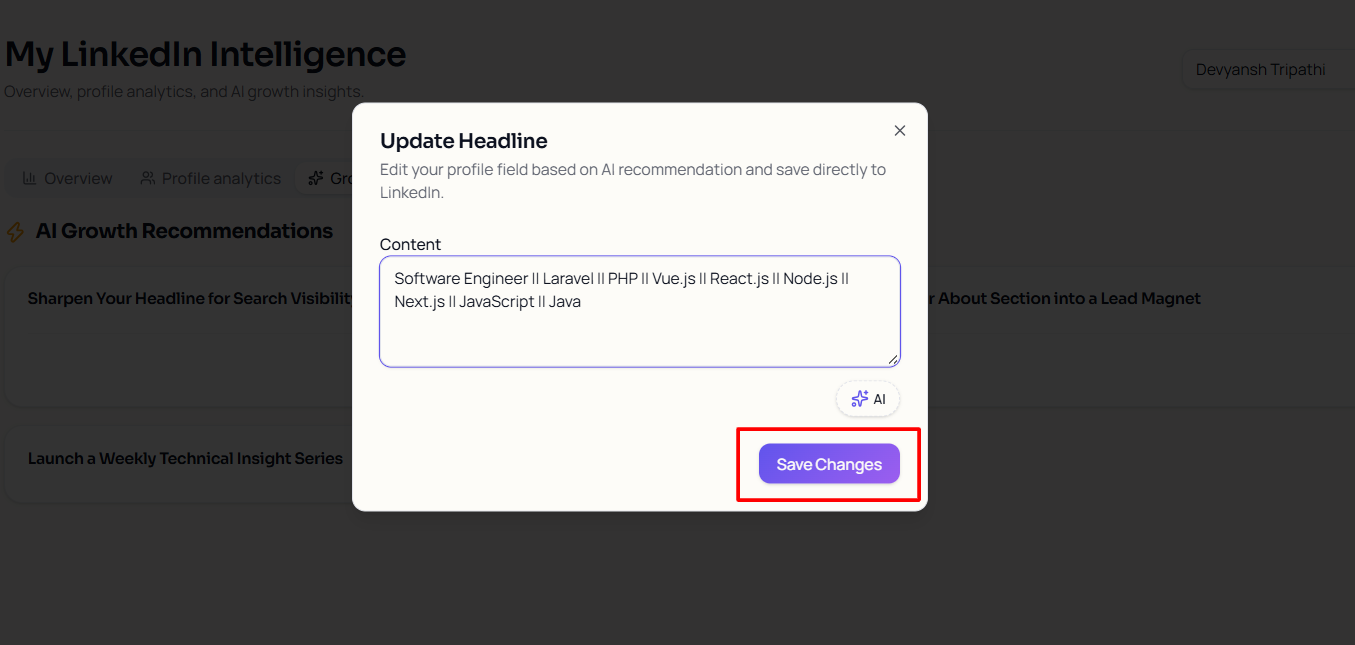
- Refine with AI Assist: Inside the edit dialog, review the suggested wording or click AI Assist to generate additional variations.
- Save to LinkedIn: Click Save Changes. Reachvo updates your profile field via the secure LinkedIn connection.
5. Account Switching & Manual Profile Sync
If your Reachvo workspace manages multiple LinkedIn sender profiles (e.g. founders, sales reps, or executive ghostwriting clients):

- Account Selector Dropdown: Click the account dropdown in the top-right header to toggle between connected LinkedIn accounts. All overview metrics, charts, and demographic breakdowns update instantly for the selected profile.
- Sync Profile Button: Click Sync Profile at any time to refresh your metrics. Reachvo securely updates your follower counts, impression metrics, and network trends within seconds.
6. Frequently Asked Questions (FAQ)
How often does Reachvo refresh LinkedIn profile metrics?
Reachvo synchronizes profile analytics on a daily schedule. You can also trigger an immediate on-demand refresh by clicking the Sync Profile button.
Why is my Engagement Rate showing 0% or low values?
If you recently connected your LinkedIn profile or have only published a few posts, the engagement calculation requires 3-5 published posts over a 14-day window to establish a statistically reliable baseline.
Are my LinkedIn login credentials stored on Reachvo servers?
No. Reachvo connects to LinkedIn using secure, encrypted browser tokens. Your password is never requested or stored.
Can I track competitor profiles in this view?
The My LinkedIn Intelligence view tracks your own connected accounts. To benchmark external competitors and market creators without connecting their accounts, navigate to Content → Competitor Tracker.
Quick Reference Summary
| Action | How to Execute |
|---|---|
| Sync Profile Data | Click Sync Profile in the top-right header. |
| Switch Active Profile | Use the profile selector dropdown in the top header. |
| View Demographics | Click Profile analytics tab and scroll to Audience Breakdown. |
| Identify Trending Topics | Check the Trending Topics in Network card on the Overview tab. |
| Apply AI Suggestions | Click Growth insights tab, click Apply Suggestion, and click Save Changes. |
| Track Audience Growth | Review the Audience Growth area chart on the Profile analytics tab. |