What is the Viral Finder?
Viral Finder is Reachvo's content research and inspiration engine for LinkedIn. Instead of guessing what topics will resonate or staring at a blank editor, Viral Finder allows you to analyze any creator or competitor profile, discover breakout outlier posts, and track real-time trending topics across LinkedIn.
Reachvo computes an Engagement Score and Outlier Multiplier for every post, revealing which content frameworks, hook cadences, and subject angles generated extraordinary audience reach.
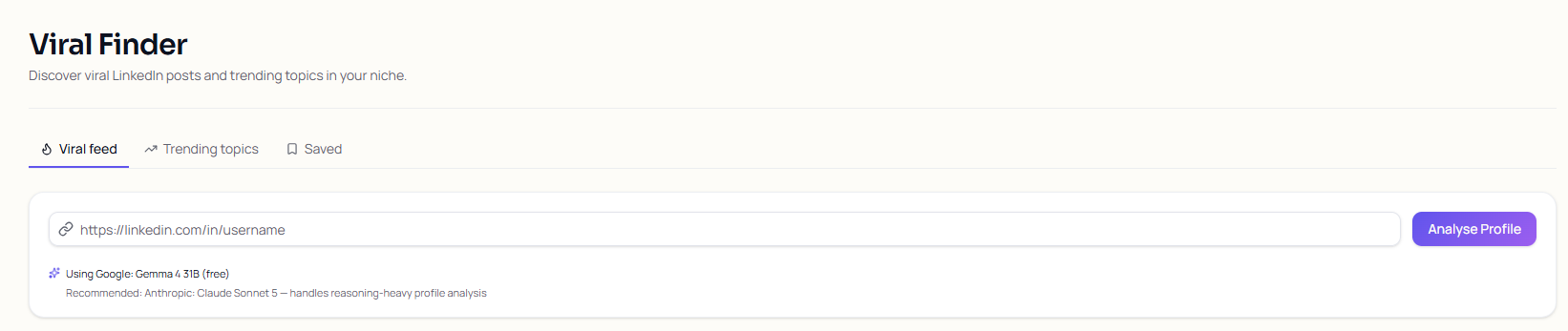
1. The 3 Core Tabs
| Tab Name | Purpose | Key Functionality |
|---|---|---|
| Viral Feed | Deep-dive into individual creator profiles. | Enter any LinkedIn profile URL to analyze historical posts, calculate baseline engagement, and surface top viral outliers. |
| Trending Topics | Discover hot conversations across LinkedIn. | Browse curated posts filtered by Global trending, My competitors, and From your feed. |
| Saved | Your personal content swipe file. | Store bookmarked posts to reference hook structures or load them directly into the Studio composer. |
2. Analyzing a Creator in the Viral Feed
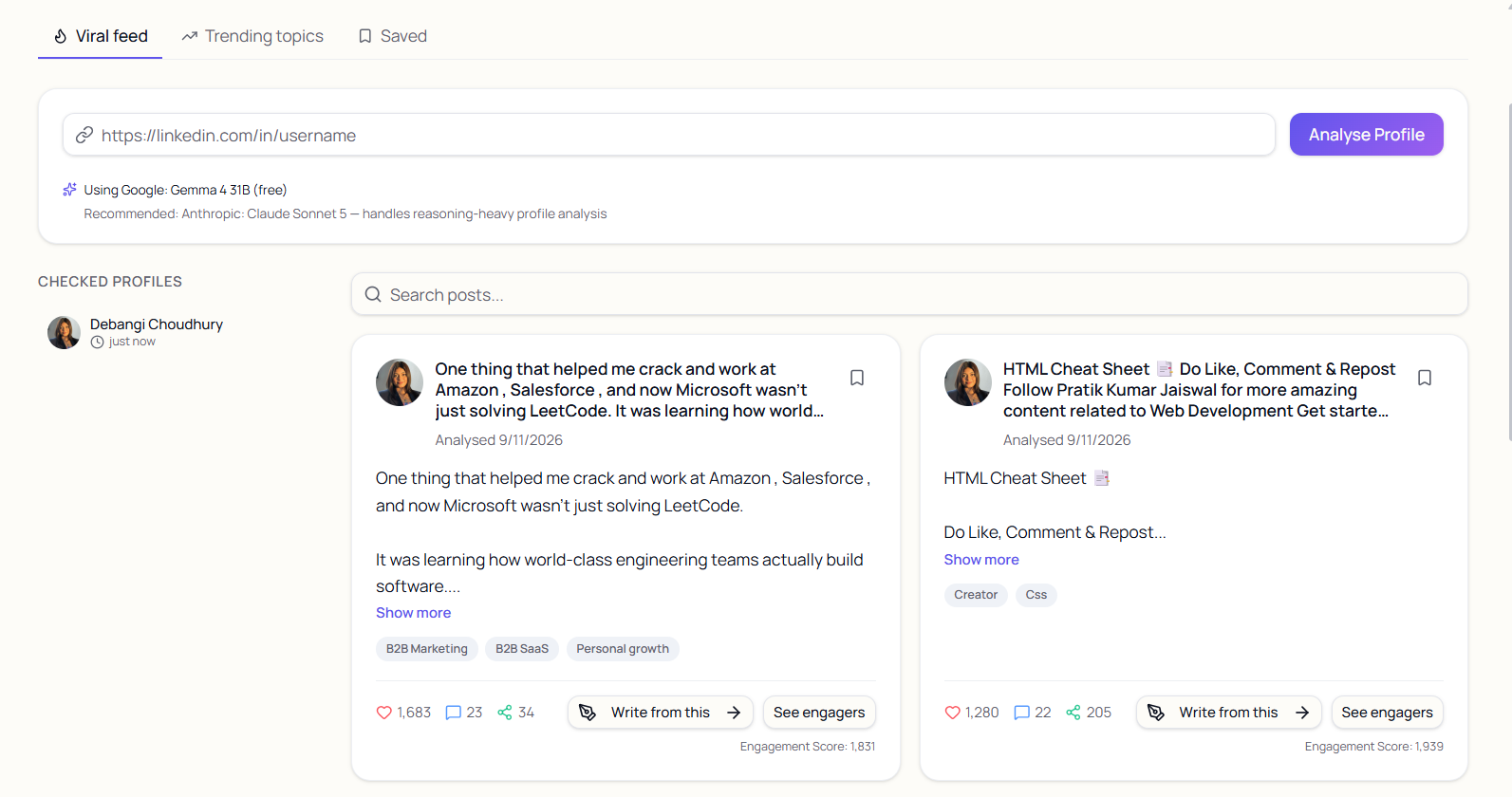
The Viral feed tab provides an in-depth creator analysis engine:
How to Analyze a Profile (Step-by-Step):
- Paste Profile URL: Enter the creator's full LinkedIn URL (e.g.
https://www.linkedin.com/in/creator-name) into the input bar. - Select Analysis Model: Reachvo defaults to fast free models (e.g. Google Gemma 4 31B), with recommendations to use reasoning models (like Claude 3.5 Sonnet) for nuanced tone and hook deconstruction.
- Click Analyse Profile: Reachvo fetches recent post history, calculates the creator's average engagement baseline, and displays their top posts.
- Checked Profiles Sidebar: Analyzed creators are saved to your left sidebar. Click any creator name to reload their post feed instantly without re-entering their URL.
NOTE
Extension Connection: Profile analysis connects via the Reachvo Chrome Extension (connected in Settings → Accounts).
3. Understanding Outlier Scores & Post Cards
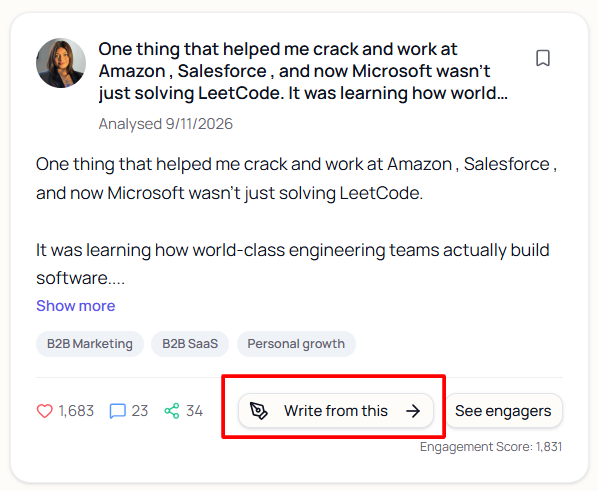
Not all high-engagement posts are equal. A creator with 1,000,000 followers will routinely receive 500 likes. However, when a creator with 10,000 followers receives 3,000 likes, that post is a true outlier:
Outlier Score Scale:
| Outlier Score | Significance | Actionable Takeaway |
|---|---|---|
| 1.0x – 2.0x | Standard Baseline | Typical daily performance for that creator's audience size. |
| 3.0x – 4.9x | Strong Outlier | Above-average performance; proven hook formula worth studying. |
| 5.0x – 10.0x+ | Viral Breakout | Massive reach that expanded far beyond initial followers. High probability of success when remixed into your niche. |
Engagement Score Calculation:
Reachvo calculates a weighted score for each post:
$$\text{Engagement Score} = \text{Likes} + (\text{Comments} \times 2) + (\text{Shares} \times 3)$$
4. Exploring Trending Topics
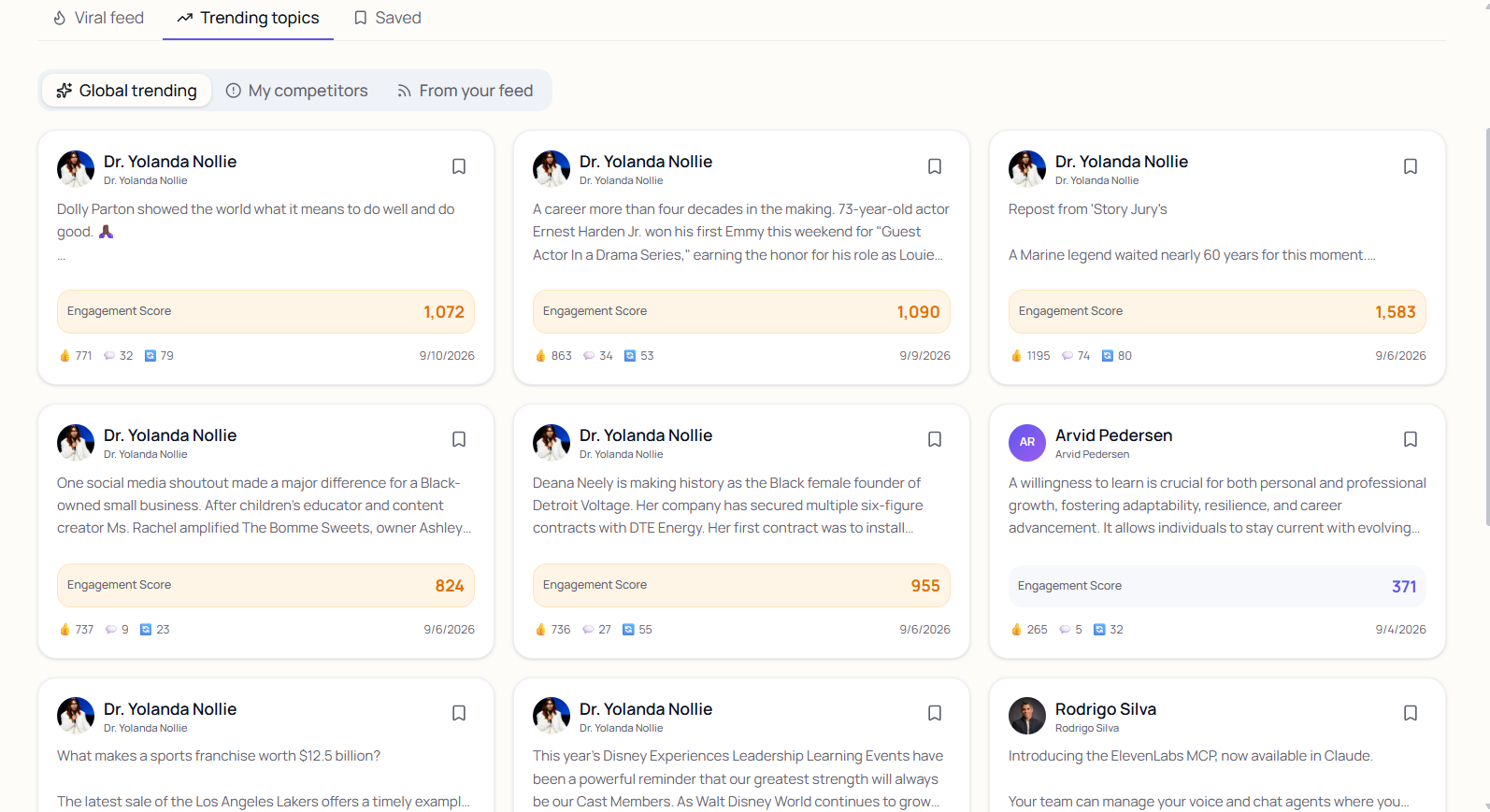
Clicking the Trending topics tab opens a real-time feed of viral content across three specialized sub-filters:
Sub-Filter Breakdown:
- Global trending: High-velocity posts going viral across global B2B networks in the last 7 days.
- My competitors: Posts published by profiles you are actively tracking in Content → Competitor Tracker.
- From your feed: Top-performing updates from your direct 1st-degree connections and followed creators.
5. Actions You Can Take on Any Post
When reviewing posts in the Viral Feed or Trending Topics, Reachvo provides four core actions:
1. "Write from this" (AI Remix)
Clicking Write from this opens the post in Content Studio Composer. Reachvo's AI will:
- Isolate the psychological structure of the original hook.
- Preserve the cadence (e.g. Bold Claim → Context → 3-Step Solution → Question).
- Rewrite the body copy tailored to your industry, target audience, and brand voice.
2. Bookmark to Saved Swipe File
Click the Bookmark icon in the top-right corner of any post card to save it to your Saved tab. Use this to curate inspiration libraries for future content sprints.
3. See Engagers (Lead Generation)
Click See Engagers to view the profiles of individuals who liked or commented on that viral post. Since these users are actively engaged in your topic vertical, you can import them directly into your Prospects directory or target them in Outreach Campaigns.
4. Full Post Inspection
Click anywhere on the post text to expand the full formatted modal, including emojis, line spacing, image attachments, and comment threads.
Best Practices for Remixing Viral Content
TIP
The Ethical Framework-Remix Rule:
- Never Plagiarize: Never copy a creator's post word-for-word.
- Extract the Skeleton: Notice the rhythm (e.g. "90% of founders fail at X. Here is the 4-step framework I used to fix it:").
- Inject Your Own Proof: Replace their examples with your authentic data, personal stories, and domain expertise.