Overview
If you sell to local businesses, Google Maps is one of the best places to find them. Reachvo Lens saves the businesses from any Maps search into Reachvo, with each business's name, address, phone number, website, category and rating.
You don't need a LinkedIn account for this.
Import businesses in 4 steps
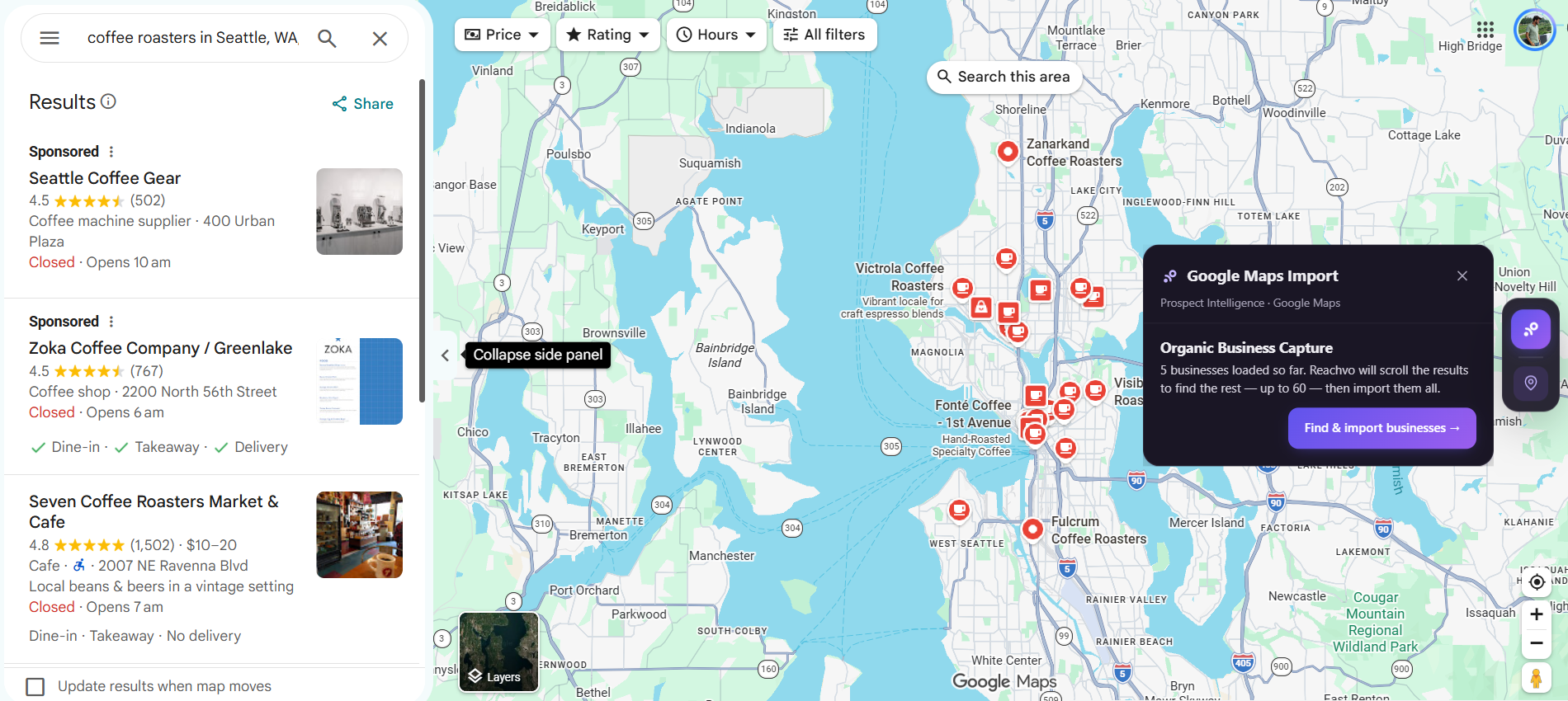
- Search on Google Maps. Go to google.com/maps and search for the kind of business you want, for example "coffee roasters in Seattle".
- Find the Reachvo box. A Google Maps Prospecting box appears next to your results. Click Find & import businesses →.
- Let Reachvo work. Reachvo scrolls through the results to find every business, then imports them one by one. You'll see progress such as "Finding businesses… 42" and then "Importing 12 of 42…".
- See your results. When it finishes, you'll see "Saved 42 of 42 businesses to your CRM". Click View in Reachvo CRM → to see them under Prospects → Companies.
Screenshot
Zoom
TIP
Keep the Google Maps tab open and visible while importing. You can click Stop at any time, and everything already saved stays in Reachvo.
Searching the same thing again
Reachvo remembers the searches you've already imported. If you run the same search again, you'll see:
"This search was previously imported (42 businesses in CRM)."
Click Check for new businesses → to import only the businesses that have appeared since last time. Nothing is saved twice.
Tips for better results
- Be specific. "Plumbers in Leeds" works better than "plumbers".
- Zoom in on one area. Google Maps shows results for the part of the map you're looking at.
- Work area by area. For a big city, do one neighbourhood at a time to get more complete lists.
- Only real listings are imported. Sponsored ads at the top of the results are skipped.
Common messages
| You see | What to do |
|---|---|
| No business results found on screen | Run a search first, or scroll the results list a little so businesses appear. |
| Daily import quota exceeded | You've reached today's Google Maps import allowance. It resets tomorrow. |
| Could not save: 3 | A few businesses couldn't be read, usually because the listing was incomplete. Everything else was saved. Click Try import again to retry. |
| Something went wrong | Refresh the Google Maps page and try again. |