What is the Competitor Tracker?
The Competitor Tracker (located under Content → Competitor Tracker) is Reachvo's LinkedIn benchmarking and competitive intelligence tool. It allows you to track rival creators, industry influencers, and competing brand pages to monitor what content strategies are working in your niche.
Instead of manually checking competitor LinkedIn feeds, Reachvo indexes their published posts, tracks follower growth trajectories, calculates their average engagement rates, and highlights their breakout viral posts.
1. Competitor Tracker Dashboard
The main screen lists all creators and company pages currently tracked in your active workspace:
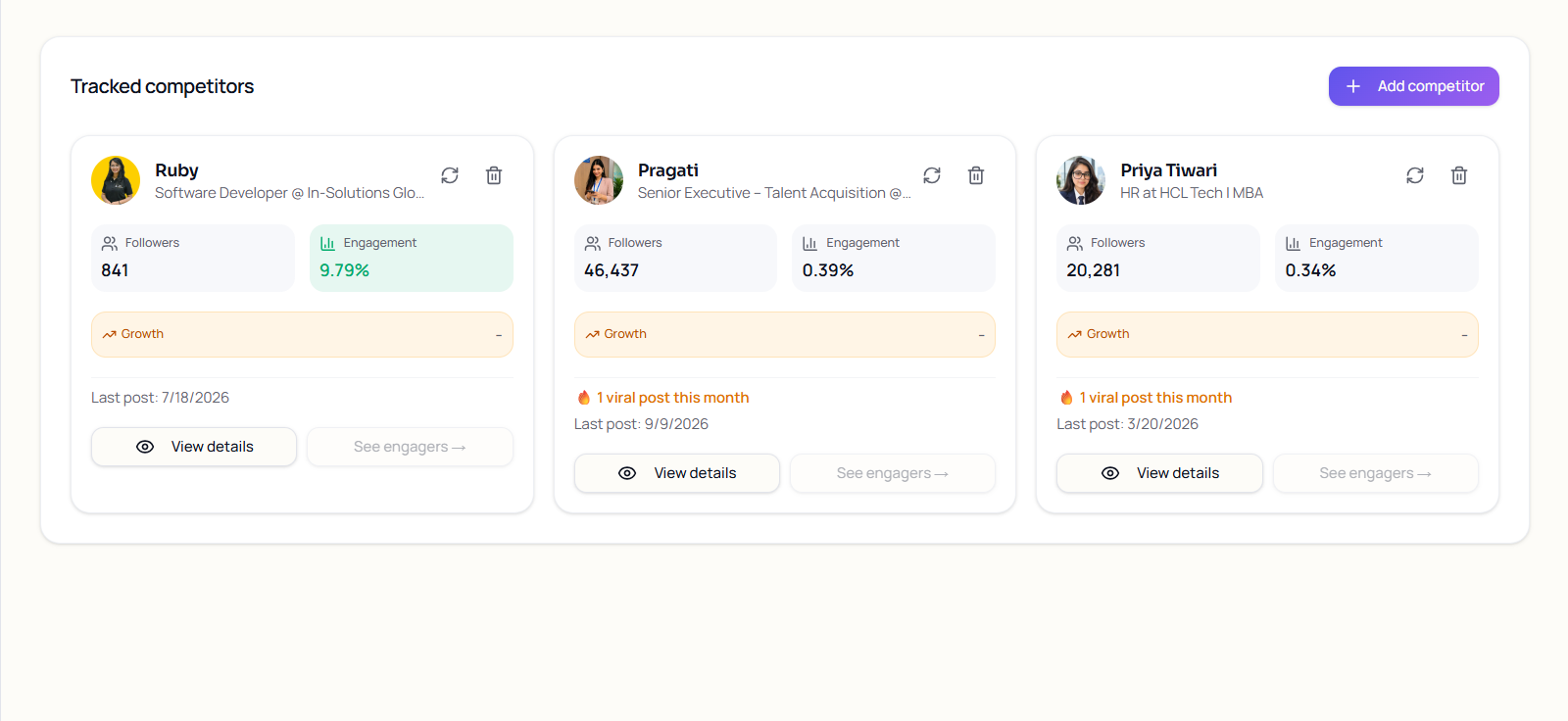
Key Metrics Tracked on Each Competitor Card:
- Followers & Growth Rate: Total LinkedIn follower count and trailing 30-day percentage growth.
- Average Engagement Rate: Weighted engagement rate (
Total Likes + Comments + Shares / Impressions) across their recent posts. - Posting Cadence: Average number of posts published per week.
- AI Comparative Insights:
- Highlights whether the creator achieves higher engagement ratios than your workspace average.
- Flags accounts with high follower counts but low organic engagement.
- Viral Posts Indicator: Counts how many recent posts achieved an Outlier Score of
3.0xor higher. - Last Post Date: Exact timestamp of their most recent published post.
2. How to Add a Competitor (Step-by-Step)
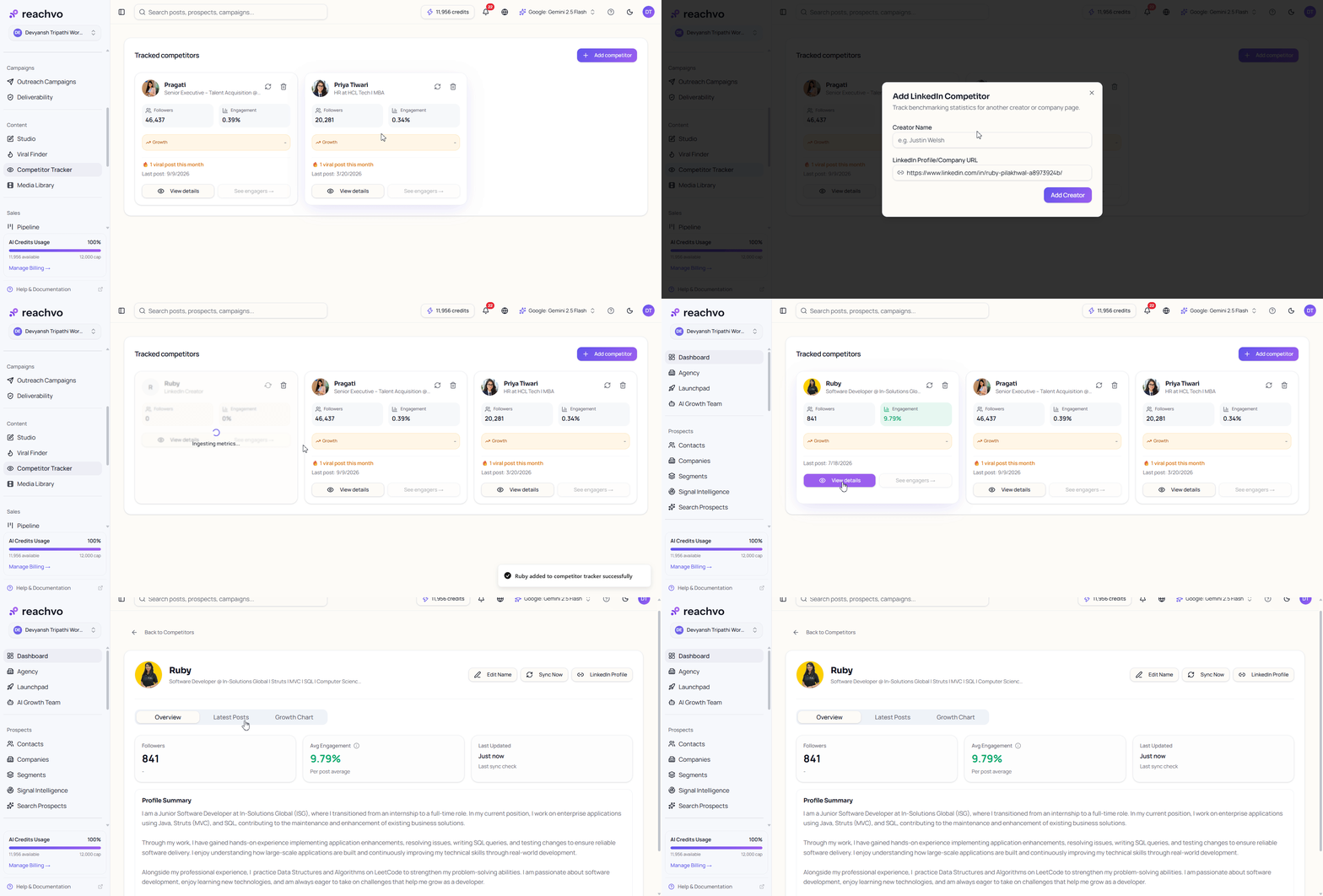
Adding a new creator or company page takes less than 30 seconds:
- Click + Add competitor in the top right corner of the dashboard.
- Enter the Creator Name (e.g.
Justin WelshorAcme Software). - Paste their full LinkedIn Profile or Company Page URL (e.g.
https://www.linkedin.com/in/usernameorhttps://www.linkedin.com/company/company-name). - Click Add Creator.
- Reachvo begins ingesting their post history in the background. Initial metrics and engagement scores will populate within 1–2 minutes.
NOTE
Account Requirement: To track competitor profiles, ensure your LinkedIn profile is connected via the Reachvo Chrome Extension in Settings → Accounts.
3. Competitor Detail Analytics & Post Feed
Clicking View Analytics on any competitor card opens the deep-dive analysis dashboard:
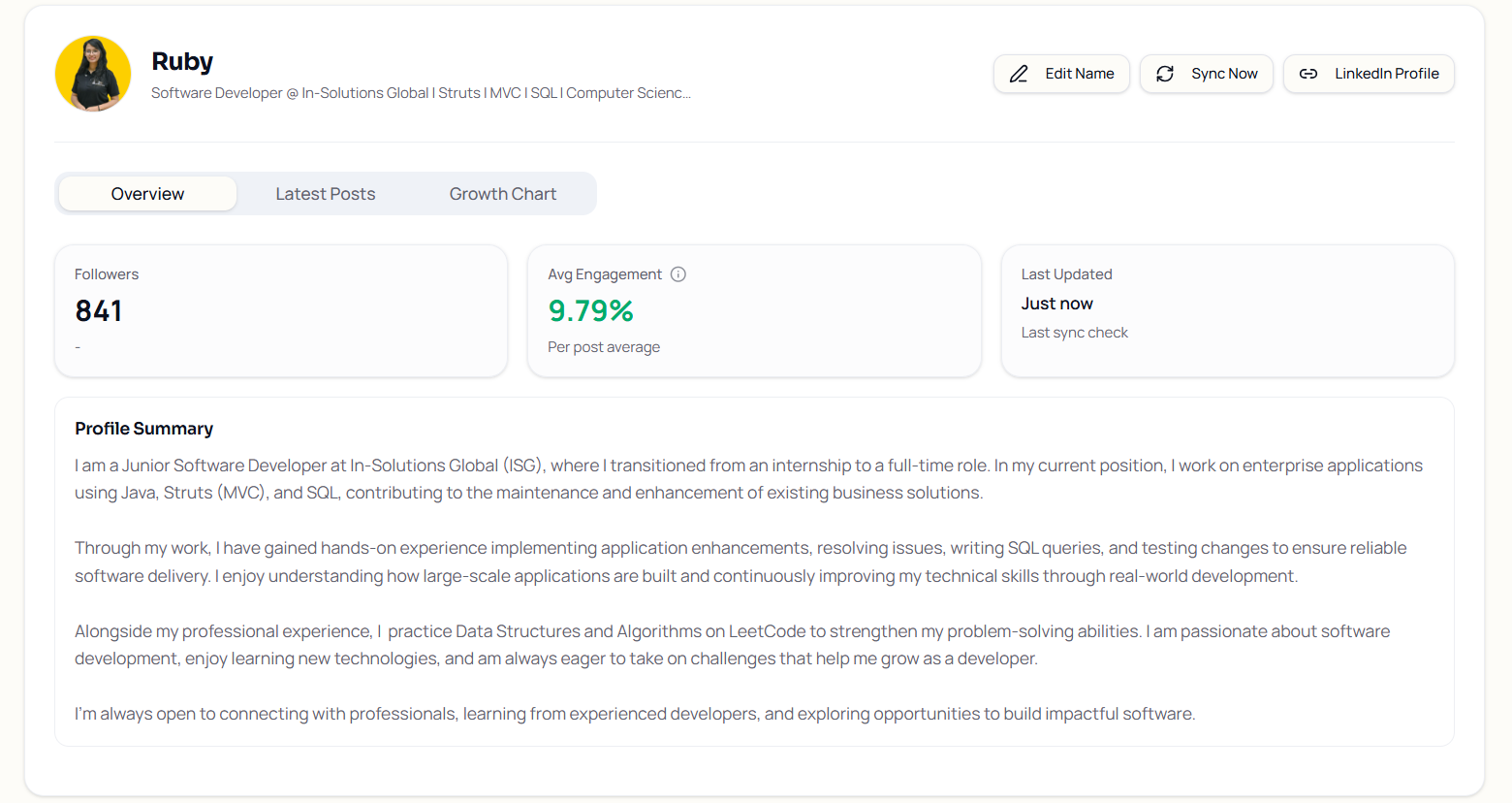
What You Can Inspect:
- Comparative Engagement Trend: A side-by-side graph comparing your engagement curve against the competitor's over the last 30 to 90 days.
- Format Distribution: Percentage breakdown of their post formats (Text-only, Multi-page Document/Carousel, Single Image, or Video).
- Top Posts by Outlier Score: Direct access to their highest-converting hooks with 1-click Write from this buttons to remix the structural framework in Content Studio.
4. Cross-App Integrations
Tracked competitors feed intelligence into other areas of Reachvo:
- Viral Finder: All tracked competitors stream into the Trending topics → My competitors sub-tab in.
- Content Studio Suggestions: Competitor posting times and active discussion topics feed into the Suggested Topics panel on your Content Calendar.
- Executive Reports: Include competitor benchmark comparison charts in your monthly PDF reports for stakeholders and clients.
Best Practices for Competitive Benchmarking
TIP
Strategic Benchmarking Guidelines:
- Track 3–5 Core Competitors: Select 2 established leaders (50k+ followers) and 2–3 fast-growing peers (5k–25k followers) in your exact niche for a balanced benchmark.
- Identify Content Format Gaps: If your competitors rely heavily on text-only posts, test high-value PDF carousels or actionable frameworks to stand out in the feed.
- Analyze Posting Cadence: Review what days of the week your competitors post. If they consistently publish on Tuesdays and Thursdays, test Monday or Wednesday morning slots to capture unfilled audience attention.