Reachvo for B2B Growth & Lead Gen Agencies
TL;DR
- →Reachvo gives agencies one workspace for LinkedIn sequences, cold email, LinkedIn content, and CRM — no tool-switching between clients.
- →Client workspaces are isolated so each client's data, sequences, and CRM are separate under one agency login.
- →The Agency plan is per workspace, not per seat — one flat rate covers your whole team managing multiple clients.
The stitched-stack problem
Most agency stacks look like this: one tool for LinkedIn sequences, another for cold email and warmup, a third for content scheduling, and a spreadsheet connecting them. Each client lives across four tabs in four different platforms. When a client asks for a report, you're pulling data from everywhere.
The problem isn't the tools — each is fine in isolation. The problem is that they don't share context. A reply in your LinkedIn outreach platform doesn't stop the email sequence. Prospect data lives in one platform and CRM data lives in another. And every new client adds another seat charge across each subscription.
Find → Understand → Create → Reach → Convert
Reachvo maps to the five stages of agency client delivery:
Find: Prospect discovery and email enrichment are included with monthly credits on every paid plan. Search by company, role, and signals. No separate subscription.
Understand: Signal intelligence tracks job changes, LinkedIn activity, and buying intent for accounts you're watching — built in, not an add-on.
Create: Trend Radar, AI Post Writer, multi-platform scheduler, and Content Intelligence run LinkedIn content for clients. The same workspace handles both outbound and presence growth.
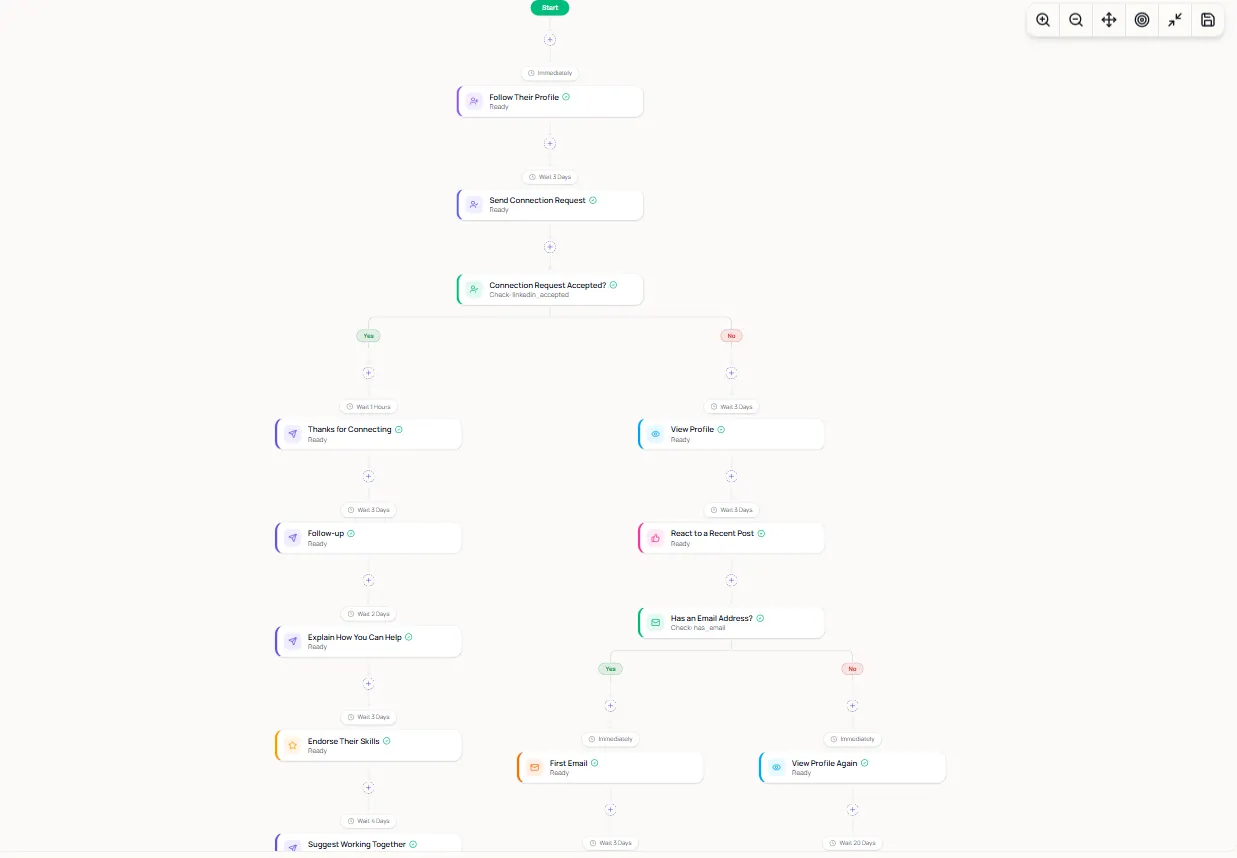
Reach: Build sequences that mix LinkedIn steps and email steps in one builder. A reply on either channel stops the sequence. Email warmup and inbox rotation are on every paid plan.
Convert: CRM pipelines give you a visual deal view per client workspace. Manage deals, track status, and report to clients without leaving Reachvo.
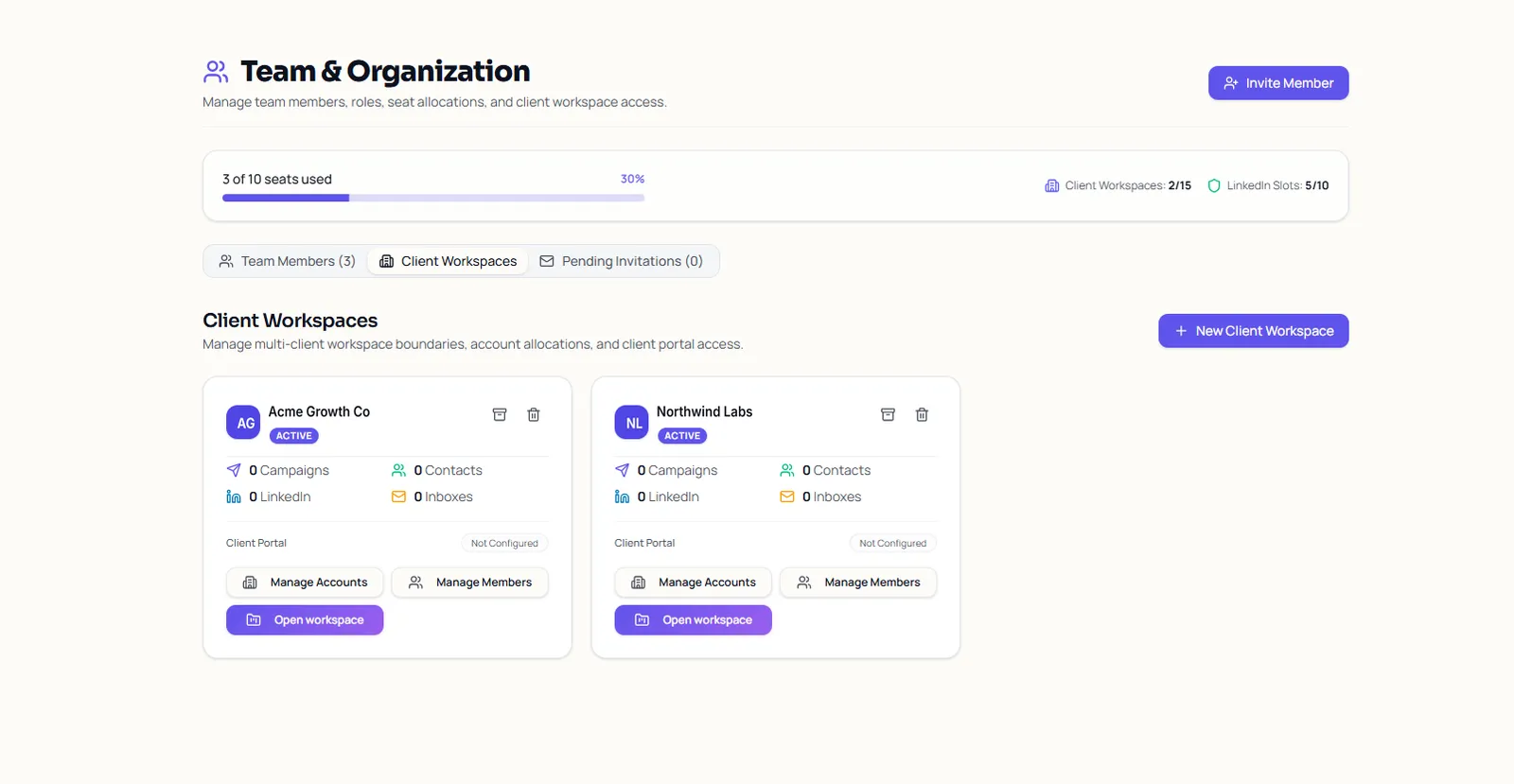
Client workspaces, seats, inboxes, and LinkedIn accounts per plan
Each client gets an isolated workspace — separate contacts, inboxes, LinkedIn accounts, sequences, pipelines, and reporting. Your agency login manages all workspaces from one place.
| Launch | Scale | Agency | |
|---|---|---|---|
| Client workspaces | — | 3 | 15 |
| Seats | 1 | 3 | 10 |
| LinkedIn accounts | 1 | 4 | 10 |
| Email inboxes | 10 | 40 | 100 |
| Emails/month | 10,000 | 40,000 | 100,000 |
| Prospect credits/month | 400 | 1,000 | 2,000 |
| Signal profiles | 10 | 50 | 100 |
| Monthly price | $129 | $299 | $599 |
Additional inboxes, LinkedIn accounts, seats, and prospect credits are available as add-ons. See pricing for the full breakdown.
Account protection built in
Reachvo enforces 25 connection requests per day and 100 per week on all LinkedIn accounts. These are account protection limits — they protect each client's LinkedIn account from activity patterns that LinkedIn flags. You cannot override them, and they're the same limits on every plan.
Follow up from your phone
The Reachvo mobile app is available on iOS and Android. Use it to follow up on hot leads, reply to LinkedIn messages and emails, review notes and tasks, and get push notifications when a prospect replies or becomes a hot lead.
Prospect search, campaign setup, and workspace admin are web-only — the mobile app is for follow-up and inbox management on the go.
Compare Reachvo to the alternatives
If you're evaluating Reachvo against tools in your current stack:
- Reachvo vs HeyReach — LinkedIn-first agency comparison
- Reachvo vs lemlist — multichannel with personalised email
- Reachvo vs Expandi — LinkedIn outreach with white-label
- Reachvo vs Instantly — cold email volume comparison
- Best multichannel outreach platforms for agencies
FAQ
How do client workspaces work? Each workspace is a fully isolated environment — contacts, inboxes, LinkedIn accounts, sequences, pipelines, and reporting are separate from every other workspace. Your agency login can access all workspaces from one dashboard. Client workspaces start on the Scale plan (3 workspaces) and go up to 15 on the Agency plan. Additional workspaces are available on request.
Can a client log in to their own workspace? Yes. You can invite a client to their workspace as a seat. They see only their workspace — not other clients' data.
What happens if a client's LinkedIn account gets flagged? Reachvo enforces the account protection limits (25/day, 100/week) across all plans. If a client's account is restricted by LinkedIn for reasons outside Reachvo's control, the sequences for that account pause automatically.
Is white-label available? White-label is coming soon. It is not live today. If white-label is a current requirement, see the comparison with Expandi or GoHighLevel for tools that offer it today.
Can I add more inboxes or LinkedIn accounts beyond the plan limit? Yes. Additional email inboxes (packs of 10), LinkedIn accounts, seats, and prospect credits are available as add-ons. See pricing for add-on rates.